




# reGeorg
> 原文:[https://www.zhihuifly.com/t/topic/3452](https://www.zhihuifly.com/t/topic/3452)
# reGeorg
reGeory适用于公网服务器只开放了80端口的情况。
reGeorg是用 python 写的利用Web进行代理的工具,流量只通过 http 传输,也就是http隧道。
“`
reGeorg 下载https://github.com/sensepost/reGeorg
“`
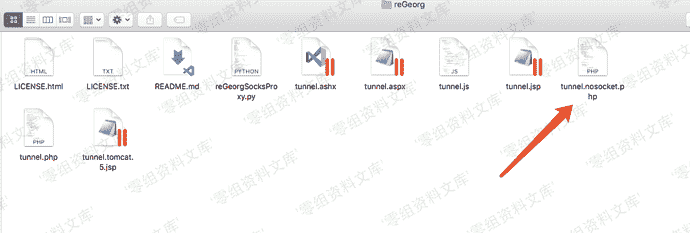
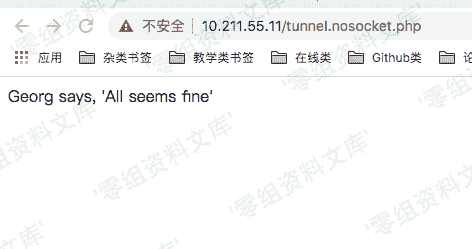
上传对应语言版本的tunnel文件到服务器上。然后本地访问上传的源文件,即可在本地与远程主机上形成一个http的回路。命令如下:
“`
python reGeorgSocksProxy.py -p 6666 -u http://目标站点/xxx.php //端口随便指定,只要不与本机开放端口冲突即可
“`
## Proxychains代理及配置方法
配置**proxychains**代理链的配置文件
***vim /etc/proxychains.conf*** ,将代理设置成本机的1080端口:
“`
socks5 127.0.0.1 6666
“`
然后命令前面加上 **proxychains**即可。如:
“`
proxychains curl 内网ip
“`
## Proxifier代理及配置方法
> 以上proxychains工具大多数情况下在mac/linux上使用,Windows下可以使用proxifier
* 创建代理服务器
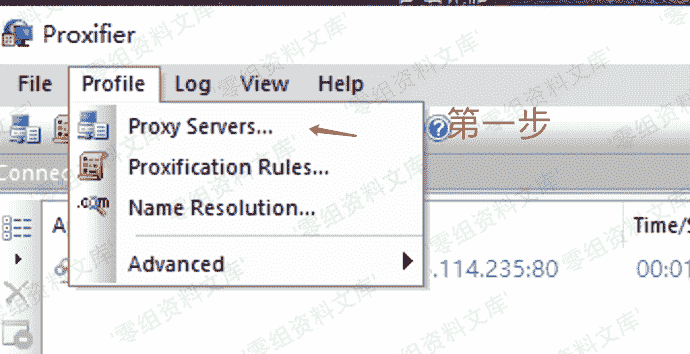
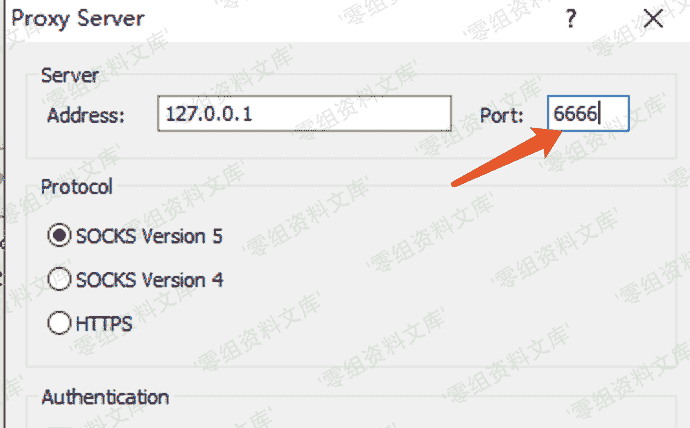
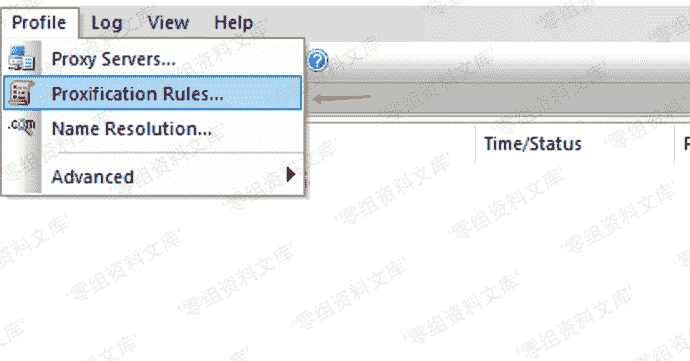
* 设置代理规则
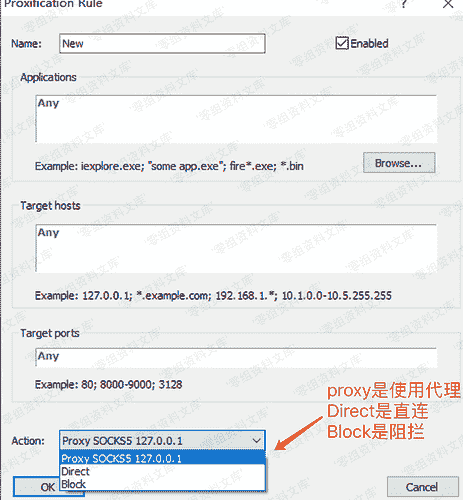
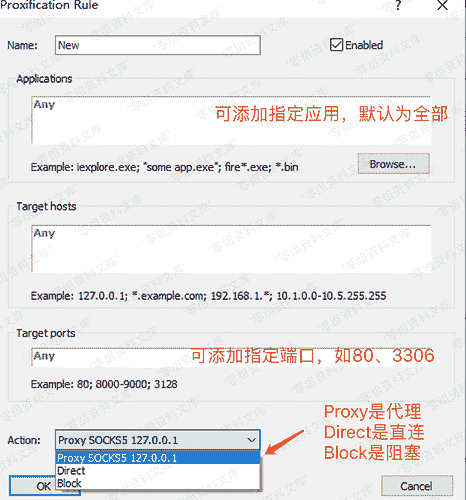
选中刚设置好的代理服务器就行了
所以我们流量的走向是: 流量->本地1080端口->web服务器的80端口(通过我们上传的php文件进行流量转发)->内网服务器->web服务器的80端口->本地1080端口











请登录后查看评论内容