




# MAC OS 端微信取证
> 原文:[https://www.zhihuifly.com/t/topic/3623](https://www.zhihuifly.com/t/topic/3623)
# MAC OS 端微信取证
* 1,找到微信数据库文件
“`
~/Library/Containers/com.tencent.xinWeChat/Data/Library/Application\ Support/com.tencent.xinWeChat/*/*/Message/*.db
“`
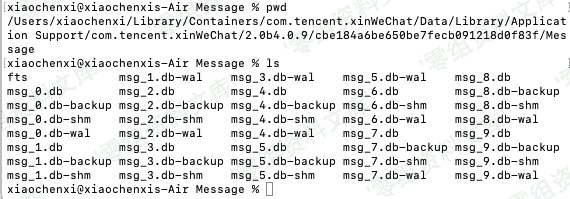
* 2,从内存中读取密钥
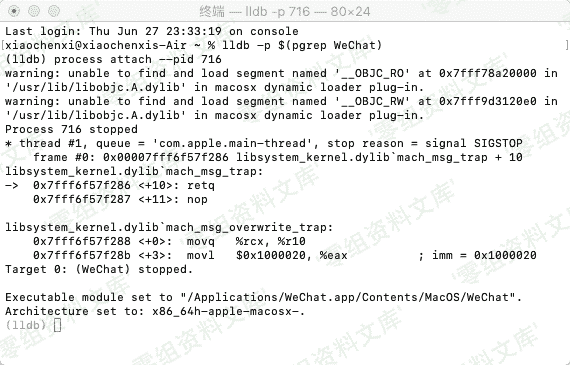
> 打开Mac版微信
> 在终端下下输入 lldb -p $(pgrep WeChat) 进入 lldb 的子shell界面(LLDB是mac下的调试工具)
> 再输入br set -n sqlite3_key和c
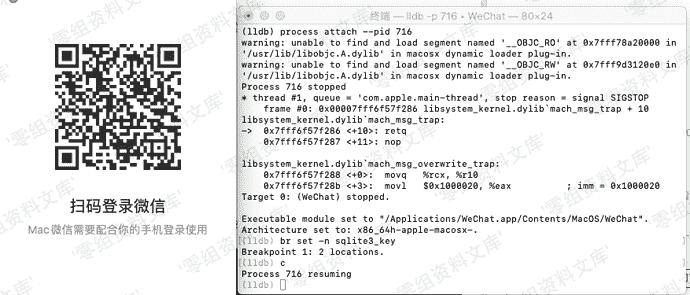
> 此时登录微信,可能会卡死,但是不影响操作
> 然后在终端输入memory read –size 1 –format x –count 32 $rsi 获取密钥
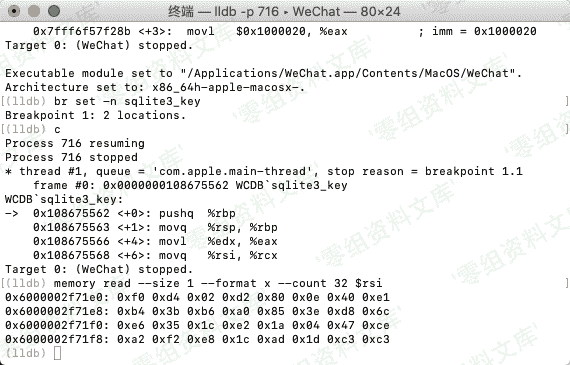
> 处理多余文本
“`
f0d402d2800e40e1
b43bb6a0853ed86c
e6351ce21a0447ce
a2f2e81cad1dc3c3
“`
> 这个64位的字符串就是密钥
* 3,读取数据
> 因为微信使用的是sqlite数据库,这里我们使用 DB Browser for SQLite MAC版进行读取
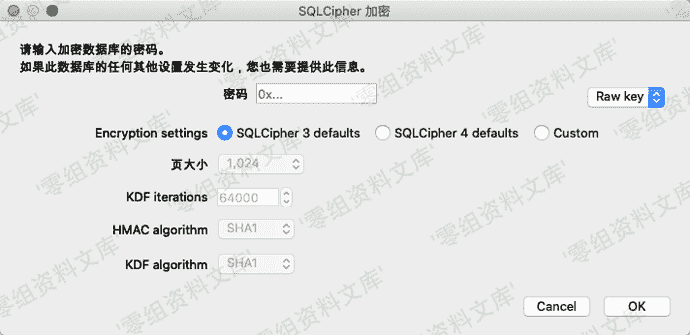
> 选择SQLCipher 3 defaults 密码类型选择为raw key 在密码框输入0x后再输入之前的密钥共64位进行解密
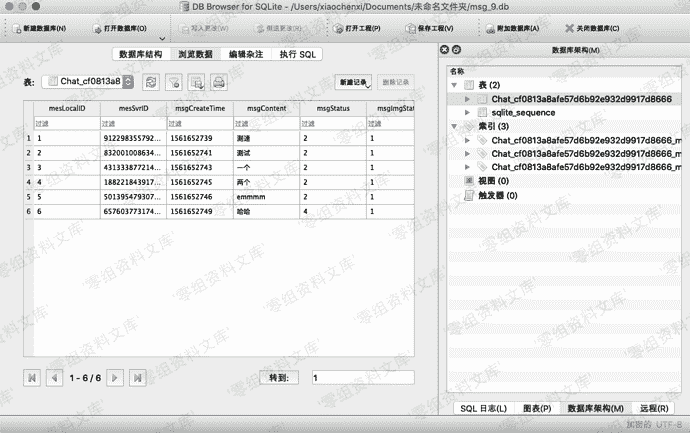
> 成功获取到聊天记录











请登录后查看评论内容